
This is a roundup of the best digital mixers that can be controlled by an iPad app. Note that some of these are iPad only control, which may or may not be appealing to you. The bulk of them will be controllable either by the physical mixing board or the iPad app, both of which will mirror each other. Here are the mixers we've added to the list so far:
The Best Digital Mixers that can be Controlled by an iPad
- Behringer X32 Compact (Behringer Edit-X32 iPad app)
- Behringer X32 Rack
- Behringer X Air X18
- Allen & Heath Qu-16 (Qu Pad App)
- Allen & Heath Qu-24
- Allen & Heath Qu-32
- Allen & Heath Qu-Pac
- Allen & Heath Qu-SB
- Yamaha TF5 48 (TF StageMix iPad app)
- Yamaha TF1
- Yamaha TF3
- Mackie DL32S (Mackie Master Fader app)
- Soundcraft Si Impact 40
- QSC TouchMix-16
- QSC TouchMix-8
- Midas M32R Live
- Midas MR18 (18-channel tablet-controlled digital mixer)
Are there a lot of differences between the apps?
At my church we've used the Mackie apps (Master Fader series) and the Allen & Heath Qu Pad apps. For the most part, these just mirror the design of the board, though I can attest that the Allen & Heath app seems a little smoother and more comprehensive, if not trickier to figure out.
This is the Master Fader interface from Mackie, without channels named (the screenshot below). You could title Ch 1, Ch2, etc., the names of whatever instruments or musician so they could be easily identified.
Keep in mind, this is the iPhone version of the app (didn't have access to my iPad when I wrote this), so options are a lot more limited.
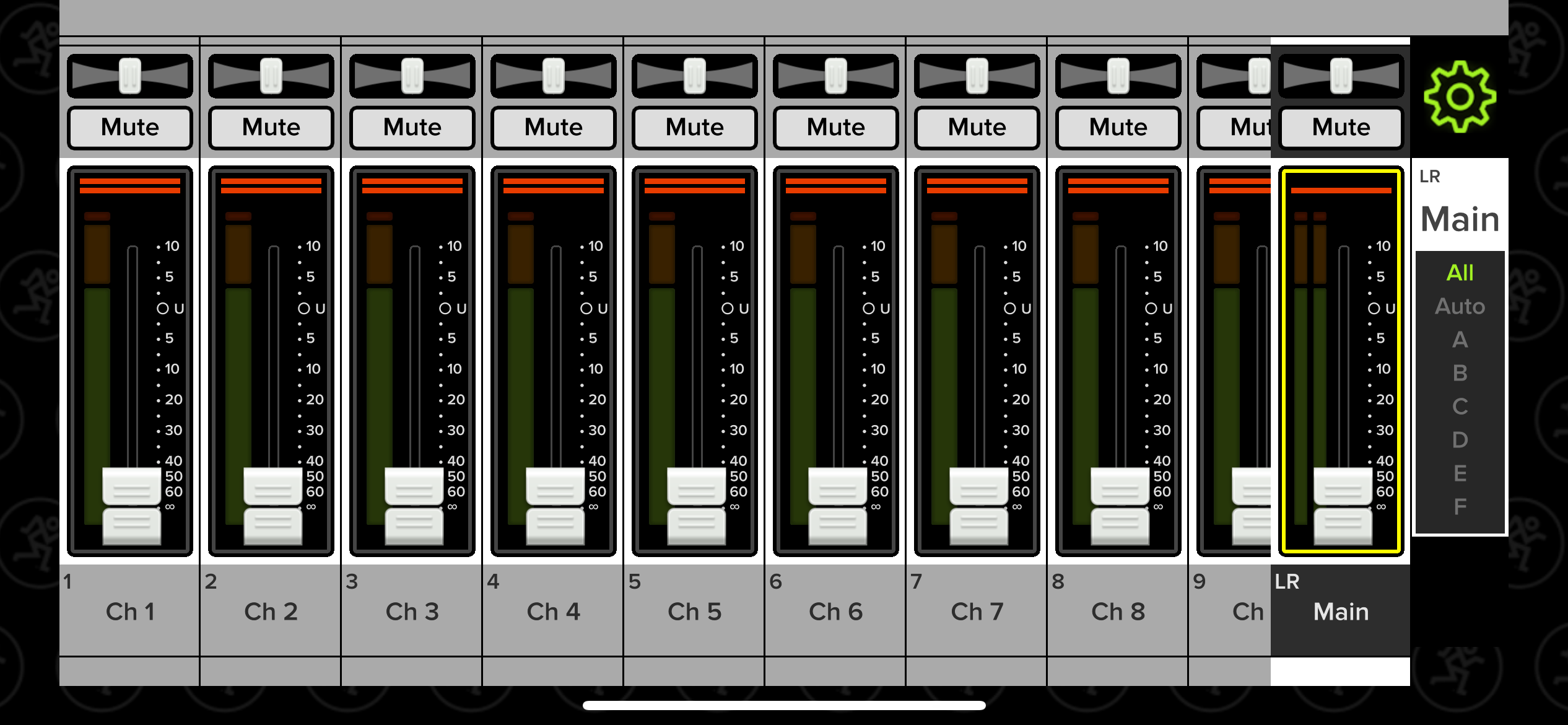
This is Master Fader 5 on the iPhone, which is a pretty simple interface. The Allen & Heath mobile apps are more involved and sleeker.
Here's a promotional photo of the Allen & Heath app's interface, which is called the Qu Pad app:

A screen grab from the Qu Pad app from Allen & Heath that is designed to work with their Qu mixer series.
Exclusively Tablet-Controller or Tablet Control Option
Remember, some of these mixers are designed to be exclusively controlled by an iPad app or tablet of some kind (it's almost always an iPad). The Behringer X Air X18, for example, is simply an interface with i/o connections, which must be controlled by the iPad app.

Some mixers are designed to be used exclusively with iPad control, like the Behringer X Air.
Most of the other mixers we found make tablet control an option and not a requirement. My preference would always be to have iPad control optional, though the tablet-only route might save you some money. It's up to you, but certainly worth considering either way.
Questions or additions to the list?
These are all the mixers with iPad control we've been able to dig up so far, but there are certainly others. If you know of one that we should add to the list, leave it in the comments section below. Questions about the mixers listed are good as well, and we'll do our best to help out.
Similar Content about Digital Mixers
Written by GC Editorial on Mixers & Comparisons
Written by GC Editorial on Pro Audio & Comparisons
We link to products on Sweetwater that help support our site and keep the lights on. If you click through our orange buttons, we might earn a commission at no extra cost to you. Thank you all for your generous support over the years! ~ Bobby and Danielle
Our disclosure↬


Comment Policy: You're down to leave a comment? That's awesome. Keep in mind that comments are moderated and rel="nofollow" is in use. Please avoid any spammy keywords or a domain as your name, otherwise your comment will be deleted. Let's stay on topic, keep questions relevant and have a meaningful conversation. All the best.