
First, it's important to note that I can't anticipate your budget, but I'm just going to assume a mid-sized recording studio and recommend consoles that would be a good fit in that context.
I've found that you can apply the same buying and value principles up or down the pricing tiers, so if your budget is dramatically different, this will still help you.
Note that we support our site by partnering with Sweetwater, which - coincidentally - is the best place for large-scale pro audio projects.
If you click through our orange buttons, that helps our work and doesn't cost you anything extra.
Anyways, let's continue with the recommendations.
Mixing Consoles and Control Surfaces
When you get to Sweetwater, there are going to be sections for Live Sound and Studio/Recording, both with sections for mixers.
Go to Studio & Recording and then click on Studio Mixers & Control Surfaces.

This will take you to a page with several mixer categirues. The one you want is Recording Consoles. You can click here to jump to that page (same as above link).
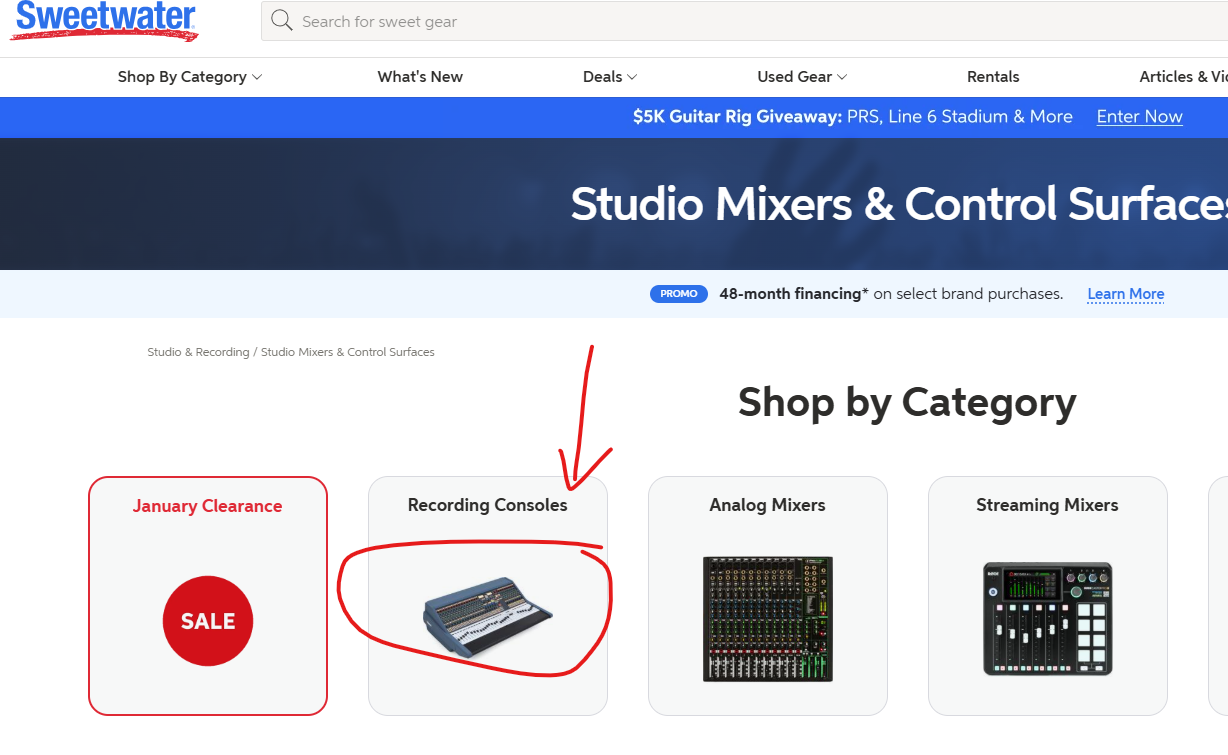
This is where we'll browse. Keep in mind, these consoles can get into the six figure price range, but we'll stop short of that by looking at slimmer designs with a lower channel count. You'll obviously have to decide what kind of limitations you want to tolerate, but I personally don't mind going with lower channels to save some money.
Neve Genesys G32 (best 16-channel option)

It's important to note that the "32" in the G32 is referring to faders and not channels. Total channel count is 16. This is still plenty for most studios, even mid-sized outfits, depending of course on the scope of your clientele.
One of the major selling points for the Genesys G32 is the onboard touchscreen and DAW interface, which includes a color coded keyboard.
This saves you expense elsewhere, and gives you an all-in-one board. You only need to then bring your DAW of choice, but the controls and integration are all there.
If the channel count is an issue for you, the system can scale up to 48 channels, but:
- Expansion is modular and expensive
- Not all expansions are identical (depends on configuration and modules)
- Many studios will never need or justify going past 16–24 channels
In most cases, I prefer to go with fewer channels and a nicer, more comprehensive board. Nothing runs up the price of pro audio gear and guitar amps like channel count.
BUY IF
- You want 16 true analog channels with 32 faders for tracking, mixing, and DAW control.
- You want a hybrid setup where the console and DAW work more seamlessly together (this is a big part of the cost and value).
- You like motorized faders + recallable settings and touchscreen DAW control.
- You plan to expand later (up to 48 channels) without replacing the desk.
- You run a project or commercial studio where workflow and ergonomics matter.
DON’T BUY IF
- You want more than 16 analog channel strips right away (it’s configurable but base channel count is 16).
- You expect a console with built-in standalone DAW/recording computer included (not typical) — you still need your own DAW and interface.
- You prefer purely digital mixing surfaces (no analog summing or analog signal path).
- You’re on a tight budget for studio infrastructure, since high-end consoles and integration gear add up fast.
- You rarely use hands-on consoles and mostly work inside a DAW with a mouse/keyboard.
Solid State Logic Origin 32 (best option for 32 channels)
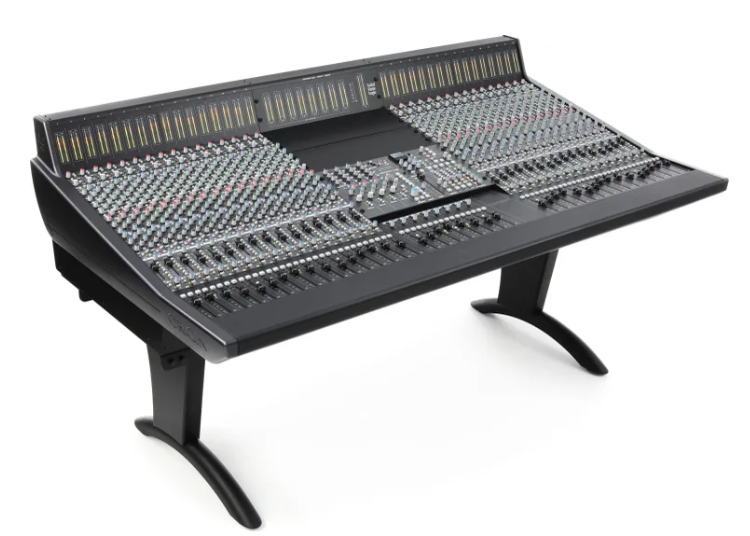
The SSL Origin 32 has 32 channels (no head-fake naming conventions) doubling the Genesys G32. However, the tradeoff is that the Origin has no built-in DAW control surface like the Genesys, which is why price can stay lower, even though it has more channels.
But particularly if you're bringing your own DAW and recording interface control to this setup, the SSL Origin will save you some money compared to the Neve board.
Still, I would recommend going with the Neve. Again, 16 channels should be more than enough for most projects.
Buy If
- You want true SSL analog sound for tracking and summing
- You run a hybrid DAW + analog studio workflow
- You need 32 channels for bands or outboard-heavy mixes
- You’re ready for patchbays, cabling, and interfaces
- You value modern reliability over vintage maintenance
Don’t Buy If
- You expect a built-in DAW or audio interface
- You need full digital automation or instant recall
- You mostly mix in the box with plugins
- You want plug-and-play simplicity
- You’re on a home-studio or limited infrastructure budget
DAW Interface Comparison Between the Genesys G32 and Origin 32
| Feature | Neve Genesys Black G32 | SSL Origin 32 |
|---|---|---|
| Built-in DAW software | No | No |
| Built-in DAW control surface | Yes | No |
| Motorized faders for DAW control | Yes | No |
| Large integrated touchscreen for DAW | Yes | No |
| Designed as DAW control hub | Yes | No |
| External controller required for DAW | Not required | Required if desired |
API 1608-II
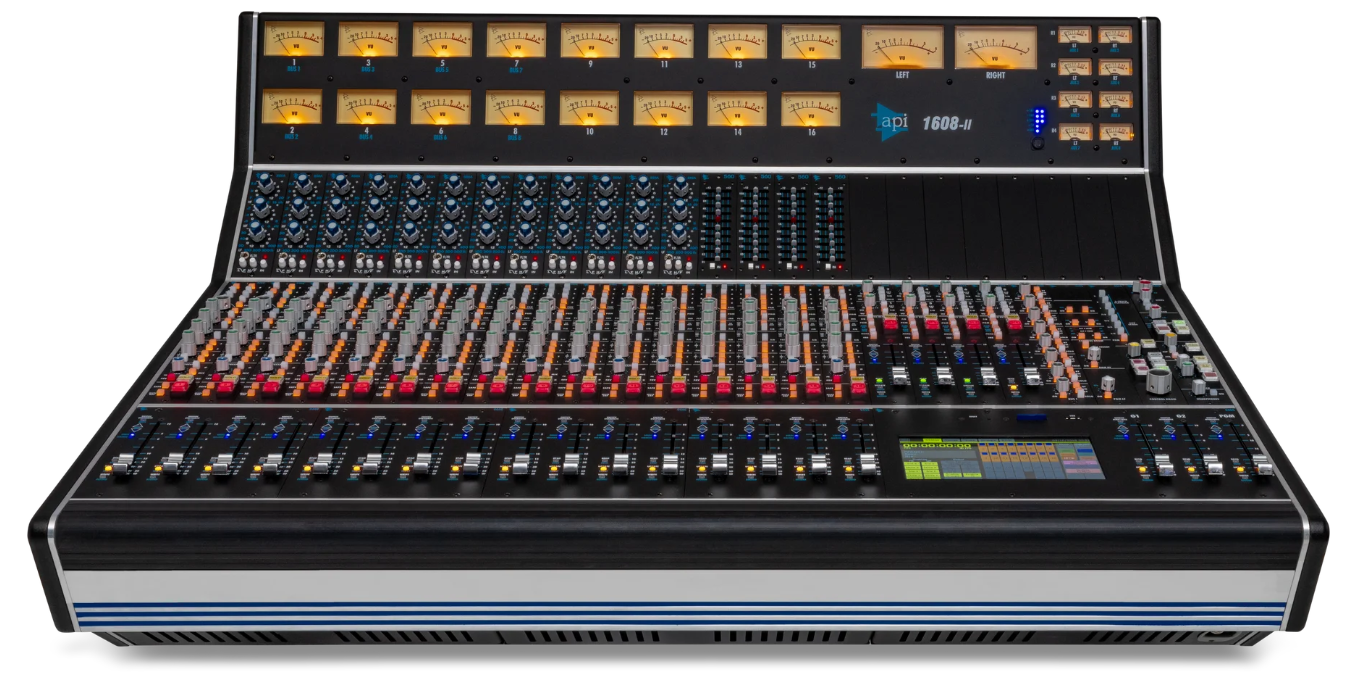
This is the second iteration of API's 1608 mixing console, which was originally released in 2008. They've been making tweaks and modern improvements ever since, and also versions with different channel counts for varying prices. I've linked to the 16-channel version above but there's a 32 channel version as well.
Comparing the API to the Genesys and Origin
- vs. SSL Origin: The API is a more traditional analog console and offers optional automation — a different sonic character and workflow. The Origin is a more modernized, analog console without built-in automation.
- vs. Neve Genesys Black: The Neve leans into hybrid digital control with DAW integration, touchscreen control, and recall, while the API focuses on analog purity with optional automation — a simpler, classic console feel but still professional.
Buy If
- You want classic API analog punch and EQ for tracking and mixing
- You like a true analog console workflow with optional automation
- You want a professional board that scales with expandability
- You value sonic character and flexibility
Don’t Buy If
- You need built-in DAW touchscreen control or deep session recall like the Genesys offers
- You’re on a tight budget for console plus patching and infrastructure
- You prefer purely in-the-box mixing with minimal analog hardware
Questions?
This can be a lot, I know.
So if you have questions, give me a shout in the comments section below and I'll help out as much as I can. If I can't answer your questions, my buddies Ken and/or Everette are my phone-a-friend lifelines when it comes to this stuff.
I know enough to be dangerous, but they have all the ins and outs covered.
Between the three of us, we can help you out.
As always, thanks for reading.
Related Pro Audio Content
Written by Bobby Kittleberger on Mixers & Pro Audio
Written by Chris Phelan & Gear Consultants on Mixers & Pro Audio
We link to products on Sweetwater that help support our site and keep the lights on. If you click through our orange buttons, we might earn a commission at no extra cost to you. Thank you all for your generous support over the years! ~ Bobby and Danielle
Our disclosure↬


Comment Policy: You're down to leave a comment? That's awesome. Keep in mind that comments are moderated and rel="nofollow" is in use. Please avoid any spammy keywords or a domain as your name, otherwise your comment will be deleted. Let's stay on topic, keep questions relevant and have a meaningful conversation. All the best.